![joomag logo blue-3.png]](https://help.joomag.com/hs-fs/hubfs/joomag%20logo%20blue-3.png?height=29&name=joomag%20logo%20blue-3.png)
The AI scans your article to detect heading levels and the hierarchy of content. Based on the detected structure, the system generates a ToC with clickable links to each section.
Here's the step-by-step guide to generate the Table of Contents:
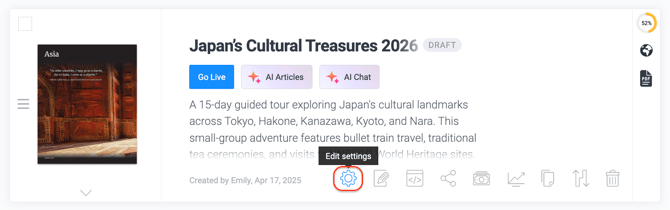
- Go to the settings of a specific publication:
- In the Pages section, click AI Table of Contents:

-
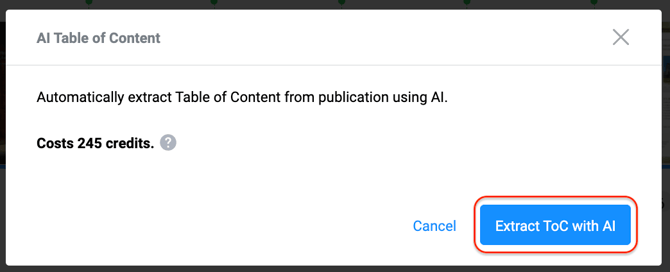
In the pop-up window, you’ll see how many credits are required for ToC extraction. Click Extract ToC with AI to start the process.
- Check back in a few minutes to review your results!

💡 You can customize the ToC if you want to add/delete certain sections or rename headings.