![joomag logo blue-3.png]](https://help.joomag.com/hs-fs/hubfs/joomag%20logo%20blue-3.png?height=29&name=joomag%20logo%20blue-3.png)
Turn your written content into dynamic video clips with Joomag Shorts. Share key insights quickly, increase audience reach, and make your articles more engaging across social media 🎬
Here's the step-by-step guide to using Joomag Shorts:
💡Make sure you've already extracted the articles from your publications.
- 🔗 AI article extraction
- 🔗 Getting started with Articles
- 🔗 Article Studio Overview
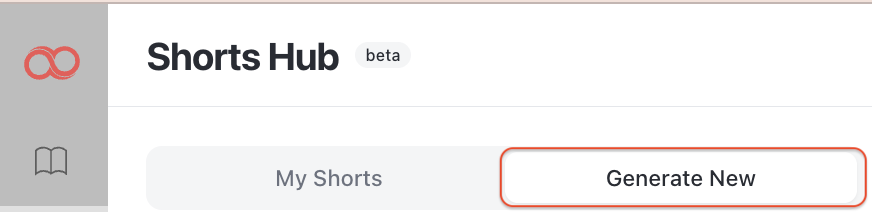
- In your dashboard’s left-hand sidebar, click on Shorts Hub

- Go to Generate New section:
- Choose the publication from the list:

- Select an article from the drop-down menu:

Once you select the article, the number of credits required for the short will appear above the settings:

- From the Styling section you can:
- Choose the subtitle font of the short
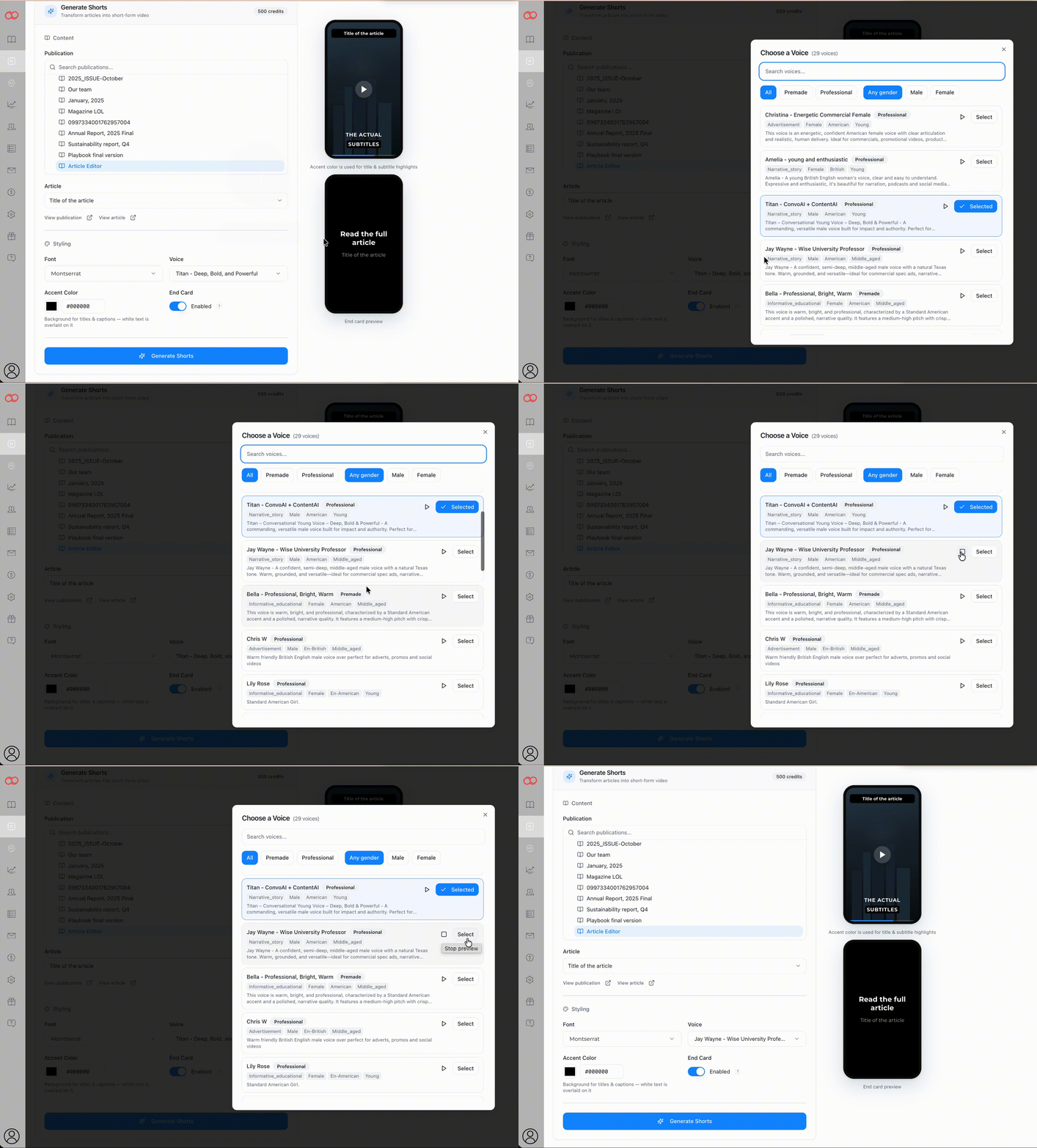
- The voiceover style
- Accent color
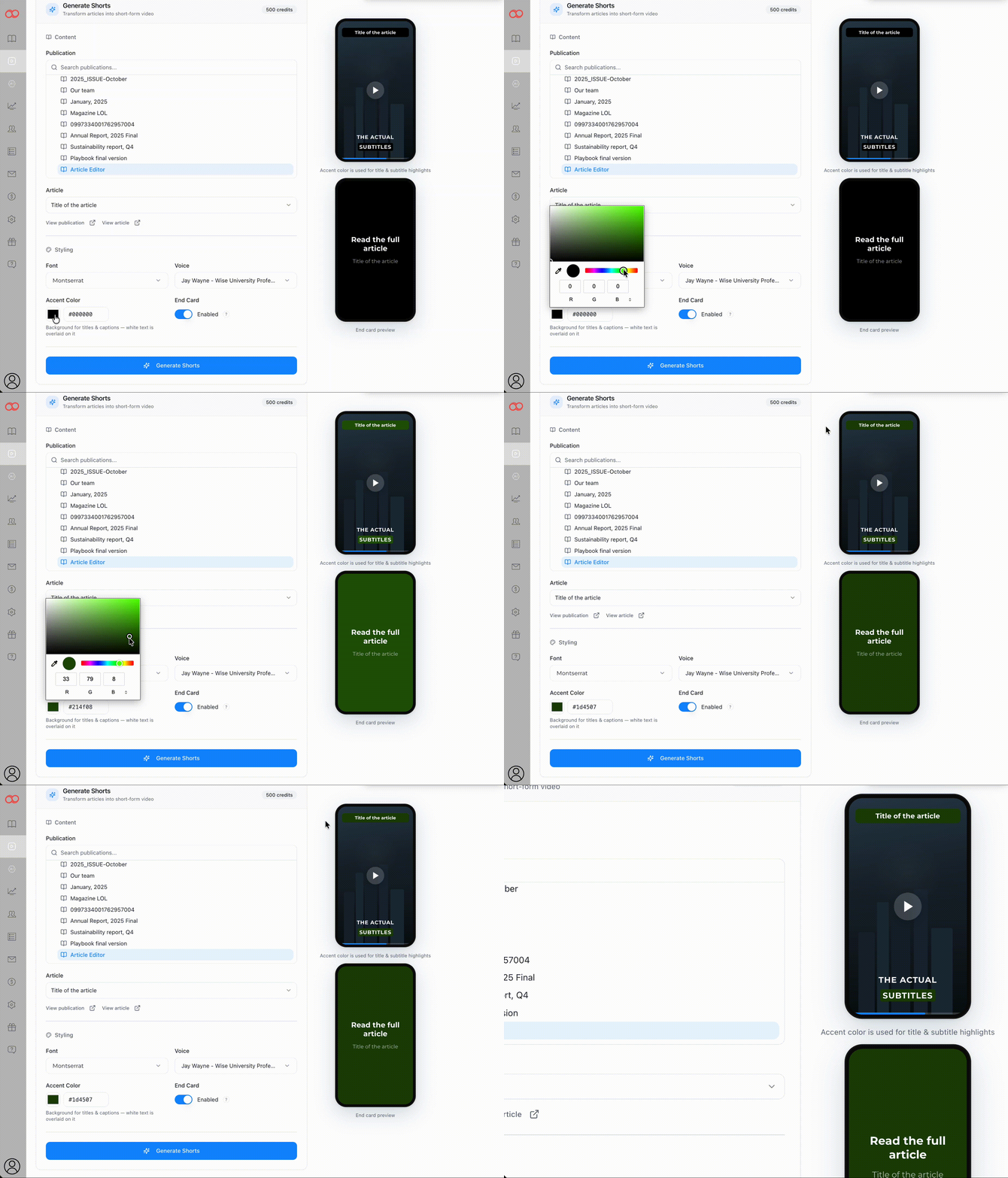
- Availability of the closing card that displays "Read the full article" followed by the article's title
- Once you’ve finished configuring all the settings, click the Generate Shorts button at the bottom.
It takes a few minutes for the short to get generated. Go back to My Shorts section to track the process:
When the short is ready, click on the thumbnail to preview. You can also share the link to the video or download it in MP4 format: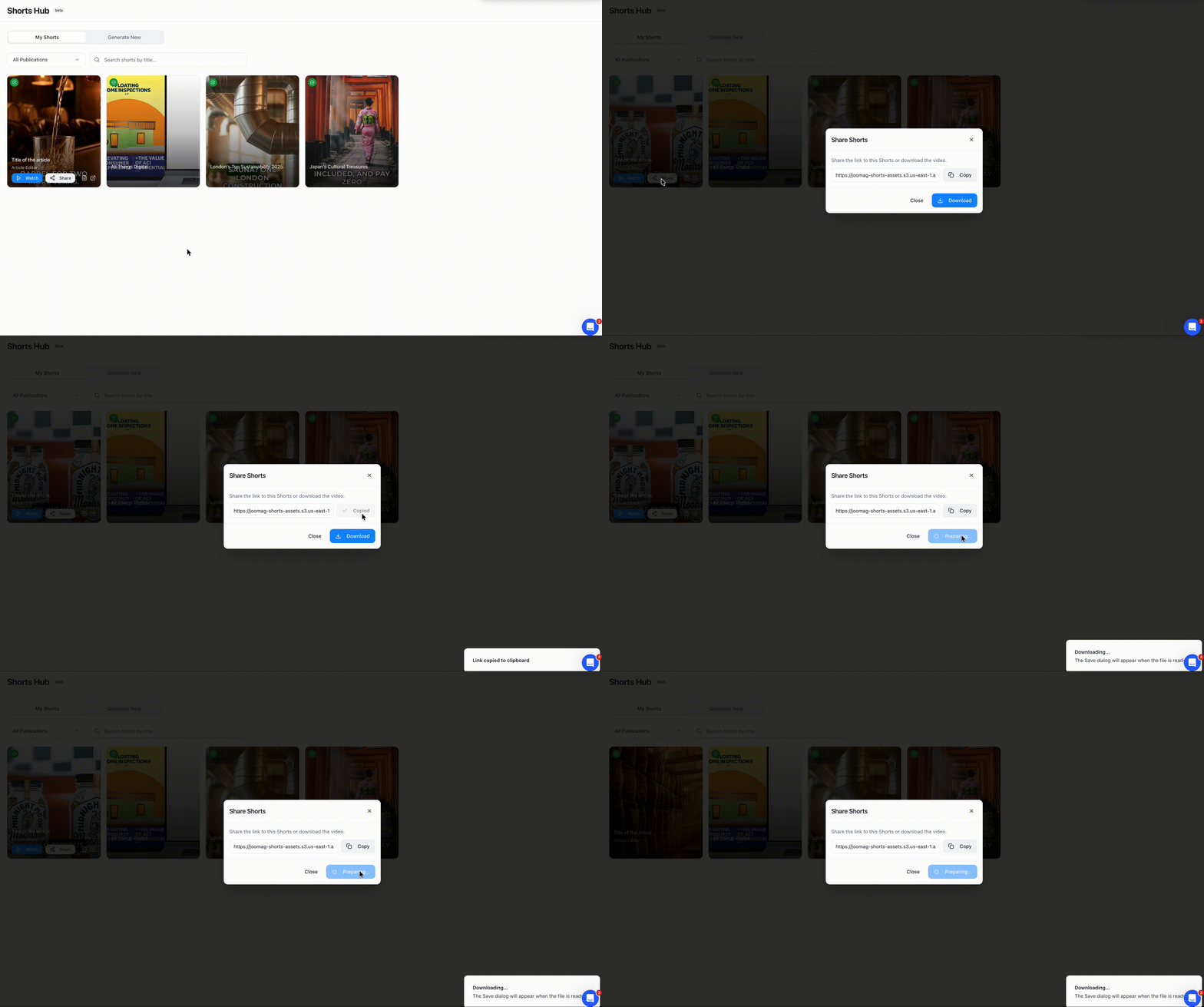
🎉 That’s it! With Joomag Shorts, your articles aren’t just words on a page; they’re short, engaging videos ready to reach more readers, boost engagement, and bring your content to life!