![joomag logo blue-3.png]](https://help.joomag.com/hs-fs/hubfs/joomag%20logo%20blue-3.png?height=29&name=joomag%20logo%20blue-3.png)
If you want to boost your publications with a mobile-friendly, SEO-optimized web version of your publication’s individual articles in scrollable article format, you're in the right place!
To start building the articles for your publication:
- Access the settings of an individual publication:
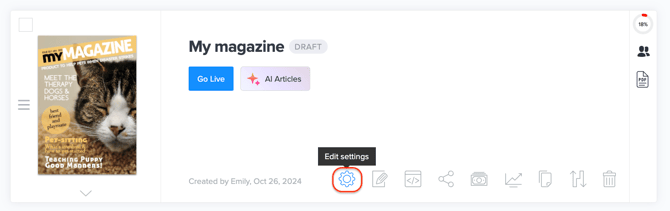
- Go to Articles tab:

- Click the Create article button to be redirected to the Article Studio(editor):

- Once in the Article Studio, proceed to the Article tab and click Add article button:

- Select the article pages and add a title and then click Create Article:
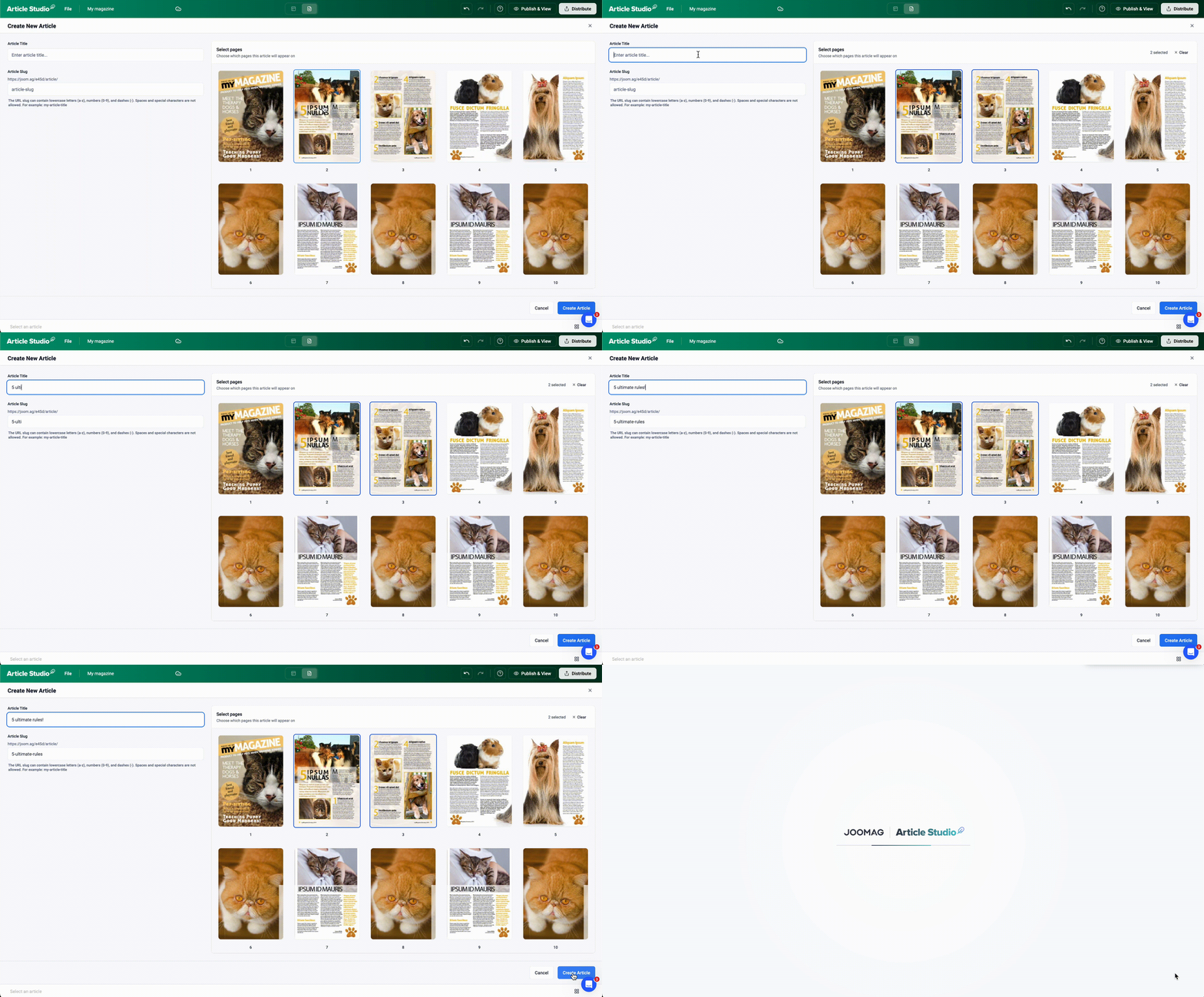
⚡️🔄 Article Studio automatically saves your progress as you work. However, to make the final changes live, click on the Publish & View button.
💡 To learn how to work in the Article Studio, check the detailed guide here.
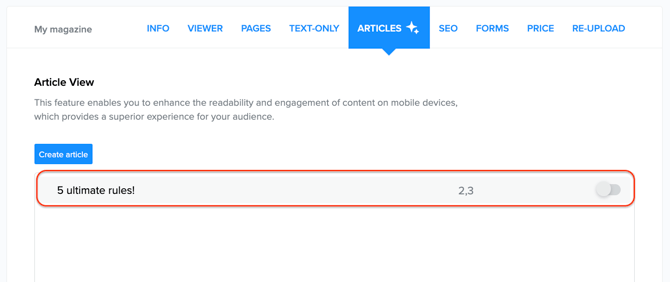
6. Back in the publication management section, your newly created article will now appear in the list:
7. When you hover over an existing article, you will see the following options:
 |
Add more article pages |
 |
Edit the article/go to Article Studio |
 |
Remove article |
 |
Publish article |
8. There is another way to access an existing article. You can navigate to the editing mode of that page and click on Article Studio:

🎉 In the Joomag viewer, you'll see the Article View button on any page where an article has been created.