![joomag logo blue-3.png]](https://help.joomag.com/hs-fs/hubfs/joomag%20logo%20blue-3.png?height=29&name=joomag%20logo%20blue-3.png)
Important: You should already have an active domain with Network Solutions.
1. Log in to your Network Solutions account.
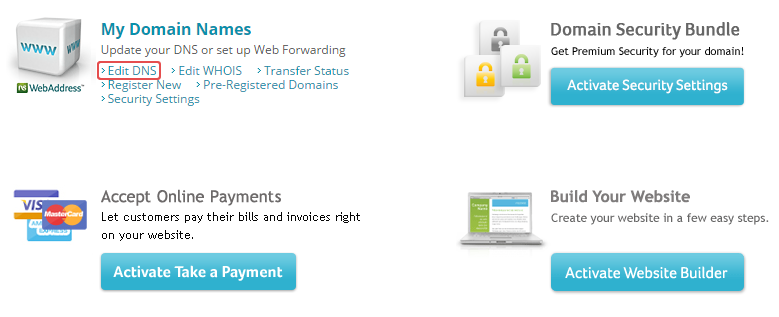
2. Click the Edit DNS link.
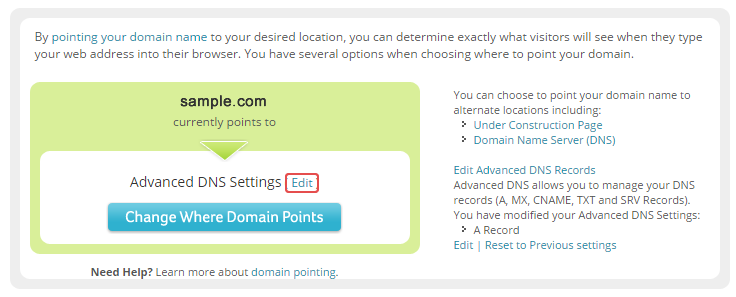
3. Click once again the Edit link.
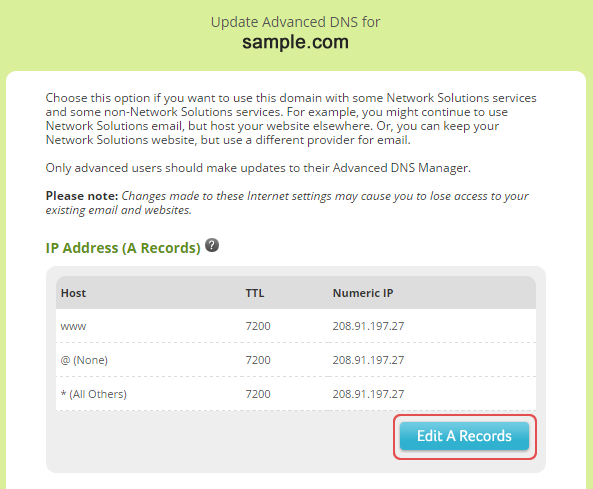
4. Click the Edit A Records button.
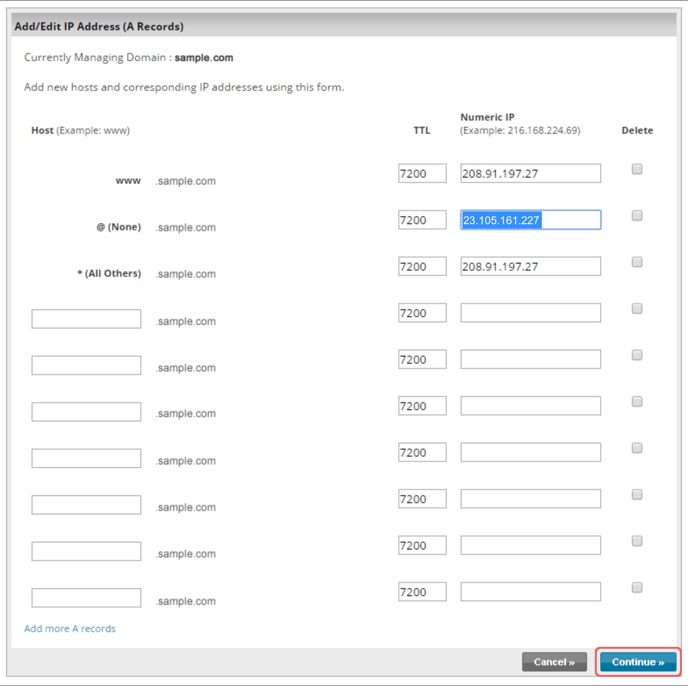
5. Replace the IP address and click Continue.
6. Click the Save Changes button once you are done.
You should now have A record pointing to the following IP address 23.105.161.227
Now you can connect your domain to your Joomag account.